Speechify turns reading and writing into a voice workflow. Upload any PDF into the Speechify web app to hear it aloud, get a summary, or make a podcast-style listen. Apps cover pages and files; Mac and Windows add dictation into other programs. The online tool is free, no sign-up needed for a quick paste. Free keeps 10 robotic sounding voices and slower playback; Premium adds natural voices, faster speeds, Scan & Listen, and AI summaries.
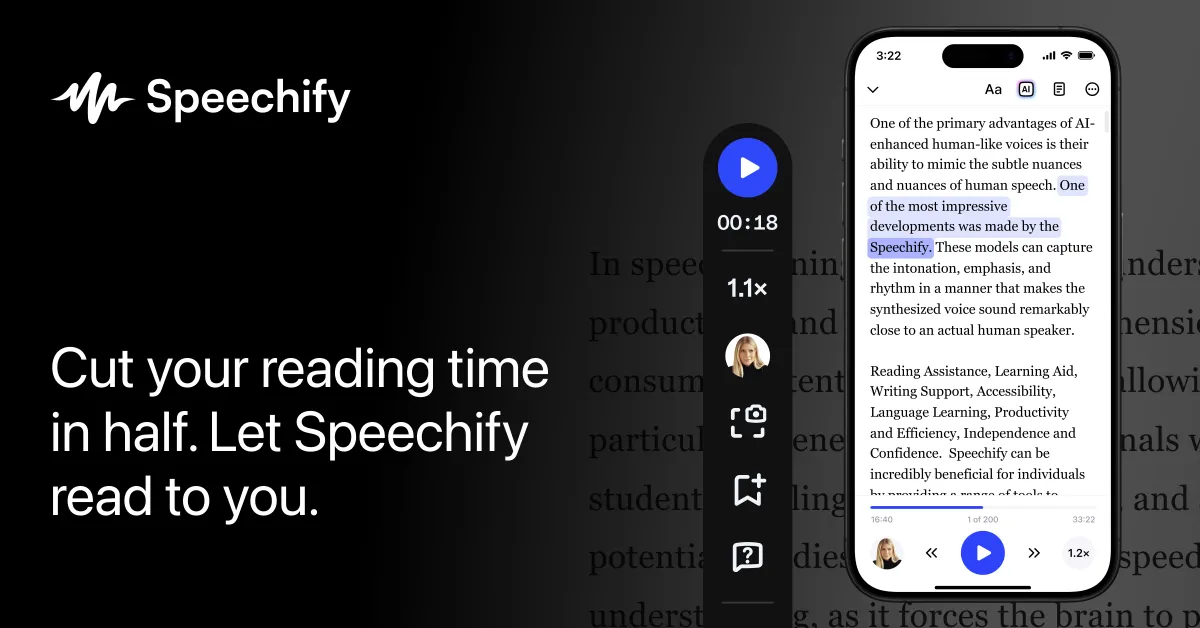
Speechify phone reader showing highlighted text, a 00:18 playback position, and speed controls. Source: https://speechify.com/. Source ↗
Pricing model
Freemium
Main input
PDFs, docs, web text, Scan & Listen photos, and spoken dictation
Output
Spoken audio, summaries, AI podcasts, and dictated text
Access
Web, iOS, Android, Chrome, Edge, Mac, and Windows
Is Speechify Studio - AI Voice Generator right for you?
Pick Speechify when you need documents read aloud or speech turned into text in everyday apps. Free samples text to speech with 10 robotic sounding voices and listen speeds up to 1.5x. Premium unlocks 1000+ high quality, natural voices, 60+ languages, listen at 5x faster speeds, Scan & Listen, and AI Summaries & Chats. Edge also cites listen up to 4.5x speed. Skip it for music generation or podcast cleanup alone. Speechify Studio is a separate pricing-page link, so Premium listening is not Studio billing.
A good fit for
People who listen to PDFs, docs, and articles on web, mobile, or desktop
Writers who dictate into Slack, Outlook, Cursor, and other Mac or Windows apps
Know the trade-offs
Free stays at listen speeds up to 1.5x and 10 robotic sounding voices with text to speech features only
Premium extras need the free trial of its premium plan or a paid upgrade; Studio is listed as another product
Listening and dictation in Speechify
Speechify phone reader showing highlighted text, a 00:18 playback position, and speed controls. Source: https://speechify.com/. Source
Read PDFs, docs, and pages aloud
Upload any PDF into the Speechify web app and have Speechify read it out loud to you with lifelike text to speech, summarize it for you, or create a podcast. Chrome and Edge extensions read browser pages; Edge marketing adds 1,000+ AI voices and listen up to 4.5x speed while answering questions about the page.
Free listening stays at speeds up to 1.5x with 10 robotic sounding voices and text to speech features only. Premium lists listen at 5x faster speeds plus 1000+ high quality, natural voices across 60+ different languages.
On Windows, Speechify dictates your words and reads anything aloud inside other apps. On Mac, speech becomes polished text across Slack, Outlook, Cursor, and every app while also reading the screen. Homepage FAQ puts Voice Typing on Free, yet pricing keeps Free as text to speech features only and lists Voice Typing under Premium—confirm during the free trial of its premium plan.
Premium also stacks Scan & Listen, AI Summaries & Chats, and AI podcasts. Online listening stays free, no sign-up needed for paste or PDF trials; a free account syncs your library across devices.
Suggest loading textbooks or papers in the web or mobile app and listening while you follow highlights. Free proves the workflow with robotic voices; Premium helps when you need natural voices, Scan & Listen for paper pages, or AI summaries.
Keep a free account so the same PDF syncs from desk to phone.
Dictate into work apps
Suggest Mac or Windows Speechify when Slack, Outlook, or Cursor drafts should start as speech, then hear replies read back in the same session.
Compare the Free FAQ Voice Typing claim with Premium marketing during the free trial of its premium plan before you budget.
How to get started with Speechify Studio - AI Voice Generator
1
Open Speechify
Use the site, online converter, or install web, mobile, Chrome, Edge, Mac, or Windows.
2
Add text or talk
Paste text or upload a PDF to listen, or enable Voice Typing on desktop to dictate into another app.
3
Set voice and speed
Free stays robotic and up to 1.5x; Premium unlocks natural voices and faster listening.
4
Sync or upgrade
Save with a free account, try the free trial of its premium plan, then keep Free or Premium.
Speechify Pricing compares Free and Premium. Premium MOST POPULAR $29 /Month is the monthly paid anchor. Speechify Studio appears as another product without a price here.
Free
Basic listening with robotic voices
Free
No paid subscription on Free
Listen at speeds up to 1.5x
Listen anywhere
10 robotic sounding voices
Text to speech features only
Premium
Daily listening with natural voices and AI extras
$29 /Month
Monthly price shown; yearly toggle says SAVE 60% without another dollar amount
1000+ high quality, natural voices
60+ different languages
Listen at 5x faster speeds
Scan & Listen
AI Summaries & Chats
Voice Typing and AI Podcasts on Premium
Homepage copy offers a free trial of its premium plan for advanced voices, faster playback, and dictation. Yearly SAVE 60% has no separate yearly dollar figure on the public pricing page.
Alternatives to Speechify Studio - AI Voice Generator
You need generative voices for a product or media stack
ElevenLabs builds synthetic voices for products and media, while Speechify focuses on listening to existing documents and pages plus desktop voice typing for everyday reading and writing.
Adobe Podcast enhances recorded speech, whereas Speechify starts from written PDFs, docs, and web pages to narrate text, summarize it, and dictate into other apps.
You want focus music rather than a document reader
Brain.fm supplies functional music for concentration, not PDF narration. Speechify fits when the source is text you need read aloud or typed from speech.
Speechify Studio - AI Voice Generator: common questions
Is Speechify free for basic listening?
Yes. Free lists listen speeds up to 1.5x, listen anywhere, 10 robotic sounding voices, and text to speech features only. Online listening is also free, no sign-up needed.
Premium lists 1000+ high quality, natural voices, 60+ languages, listen at 5x faster speeds, Scan & Listen, AI Summaries & Chats, Voice Typing, AI Podcasts, and the Voice AI Assistant. See pricing for the monthly amount.
Homepage FAQ says Voice Typing is on the free plan, while pricing lists it under Premium and keeps Free as text to speech features only. Confirm during trial.
NavHunt did not run Speechify. This page restates Free versus Premium listening limits, voice typing claims, and device surfaces from the official homepage, pricing, online converter, and help center materials only, without playback checks or invented Studio fees.