Wordtune is a free AI writer that can paraphrase, rewrite, and proofread text you already have. You pick context-based rewrite suggestions, Switch between casual and formal tones, and use summarizing any text or video when a source is long. Basic, Advanced, and Unlimited publish different rewrite and summary caps.
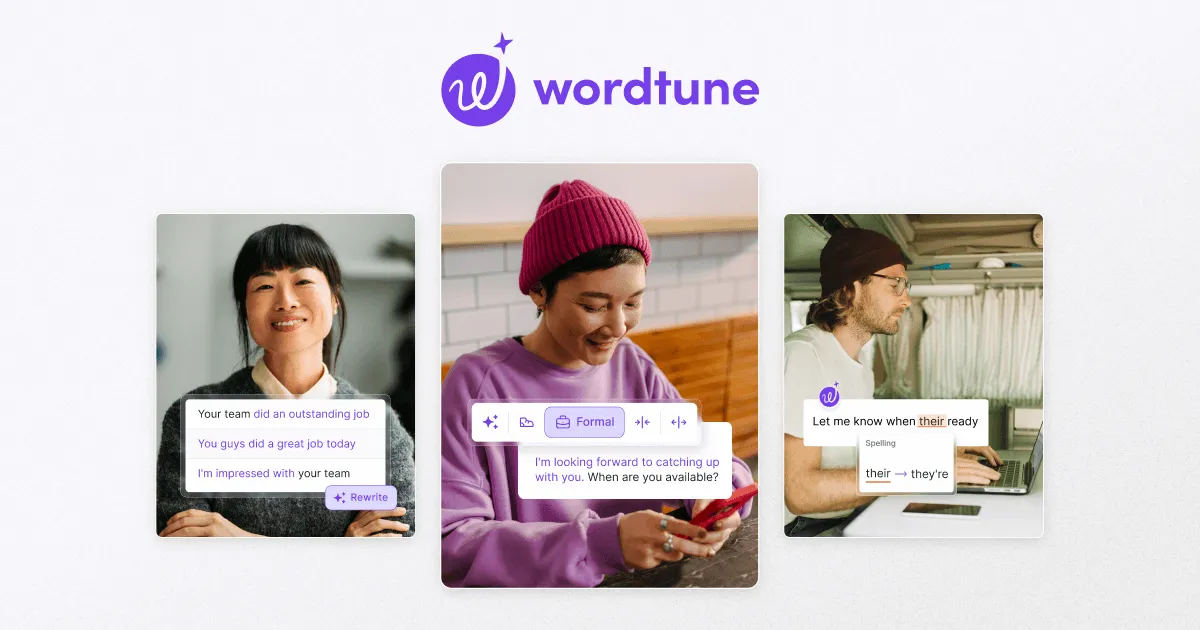
Wordtune feature cards for rewrite choices, a formal tone, and a spelling change from their to they're. Not a full editor screenshot. Source: https://www.wordtune.com/. Source ↗
Pricing model
Freemium
Main input
Existing text or a text/video source
Output
Rewrites, tone shifts, proofreading, summaries
Access
Web app, browser extension, and account plans
Is Wordtune right for you?
Choose Wordtune when the draft already exists and you need another wording, a tone shift, a spelling, grammar, and phrasing pass, or a short summary before you send. Stay on Basic if Limited daily use: 10 Rewrites and three monthly summarizations are enough. Move to Advanced or Unlimited only when those caps block the day. Skip it when work starts from a blank brief.
A good fit for
People who already wrote a message and want another wording or tone before sending.
Readers who need summarizing any text or video before drafting a reply.
Know the trade-offs
Basic lists Limited daily use: 10 Rewrites and three AI summarizations per month.
Paid trials mean the free trial lasts 3 days from purchase, and plans do not offer refunds but you can cancel before the trial or next cycle ends.
What Wordtune rewrites, tones, and summarizes
Wordtune feature cards for rewrite choices, a formal tone, and a spelling change from their to they're. Not a full editor screenshot. Source: https://www.wordtune.com/. Source
Rewrite suggestions and tone controls
Wordtune starts from sentences you already wrote. It positions a free AI writer that can paraphrase and rewrite, then offers context-based rewrite suggestions so meaning stays while wording changes. Switch between casual and formal tones when the same message needs a different register.
Proofreading sits beside those options so spelling, grammar, and phrasing can be checked before you send. Continue-writing can extend a paragraph you started, but the job is still shaping text you brought in, not inventing a campaign from an empty brief.
Wordtune markets summarizing any text or video so you can decide what deserves a full read before you answer. Homepage lines also name paraphrase for articles, essays, and emails, plus proofreading aimed at spelling, grammar, and phrasing before send.
Basic publishes a small monthly summary allowance beside its rewrite cap, Advanced raises that monthly line, and Unlimited lists summarizations without that monthly cap. Match the card to how many sources you clear, and keep dollar figures in the pricing section.
Plans list Basic at $0.00, Advanced at $6.99 per month or $4.89 per month billed annually, and Unlimited at $9.99 per month or $6.99 per month billed annually. Basic includes Limited daily use: 10 Rewrites and AI suggestions plus three AI summarizations per month. Advanced lists thirty daily rewrites and fifteen monthly summarizations. Unlimited removes those rewrite and summarization caps.
Basic
Light rewrite and grammar fixes with a small monthly summary allowance
$0.00
Limited use; no paid subscription required
Limited daily use: 10 Rewrites & AI suggestions
Limited monthly use: 3 AI summarizations
Unlimited spelling and grammar checks
Advanced
Daily writing with higher rewrite and summary caps
$6.99
Per month, or $4.89 per month billed annually; 3-day free trial
Limited daily use: 30 Rewrites & AI suggestions
Limited monthly use: 15 AI summarizations
Unlimited AI recommendations, spelling, and grammar
Unlimited
Writers who need uncapped rewrites and summarizations
$9.99
Per month, or $6.99 per month billed annually; 3-day free trial
Unlimited rewrites, AI suggestions, and summarizations
Vocabulary, clarity, and fluency improvements
Premium support
The free trial lasts 3 days from the date of purchase. Plans do not offer refunds but you can cancel from Manage Plan before the next billing cycle or before the trial ends. Accepted payments named on the plans FAQ include major credit and debit cards, Apple Pay, Google Pay, and PayPal.
You need scored marketing copy variants from a brief.
Choose Anyword when the job starts as a marketing brief that must produce scored ad or landing variants. Wordtune rewrites sentences you already wrote, not campaign scores.
You want long-form content templates in a workspace.
Choose Cohesive when you need template-led long-form generation in a content workspace. Wordtune stays on paraphrase, tone, proofreading, and summary for existing text.
Go-to-market teams need workflows from a blank prompt.
Choose Copy.ai when teams need multi-step generation from a blank prompt. Wordtune assumes you already have the sentence or source to reshape.
Wordtune: common questions
Is Wordtune free, and what does Basic include?
Basic is the free card for limited use, with Limited daily use: 10 Rewrites and AI suggestions, three AI summarizations per month, and unlimited spelling and grammar checks.
Advanced raises the daily rewrite cap and the monthly summary cap. Unlimited removes those rewrite and summarization caps. The free trial lasts 3 days from purchase.
The homepage markets summarizing any text or video. Monthly summary caps differ on Basic and Advanced; Unlimited lists summarizations without that monthly cap.
NavHunt did not run Wordtune, create an account, or submit text to rewrite, summarize, or checkout flows. This page restates the public homepage, plans, help center, and privacy policy reviewed on 6 October 2026, including plan caps and listed dollar prices.