Meshy markets itself as a free AI 3D model generator that turns text or images into ready-to-use 3D models in under a minute. Creators upload a photo, sketch, or concept art, or write a prompt, then texture, rig, and export for games, design previews, or slicer-bound printing workflows. Access is freemium: a Free tier with monthly credits sits beside Pro, Studio, and Enterprise plans that raise allowances and change ownership terms.
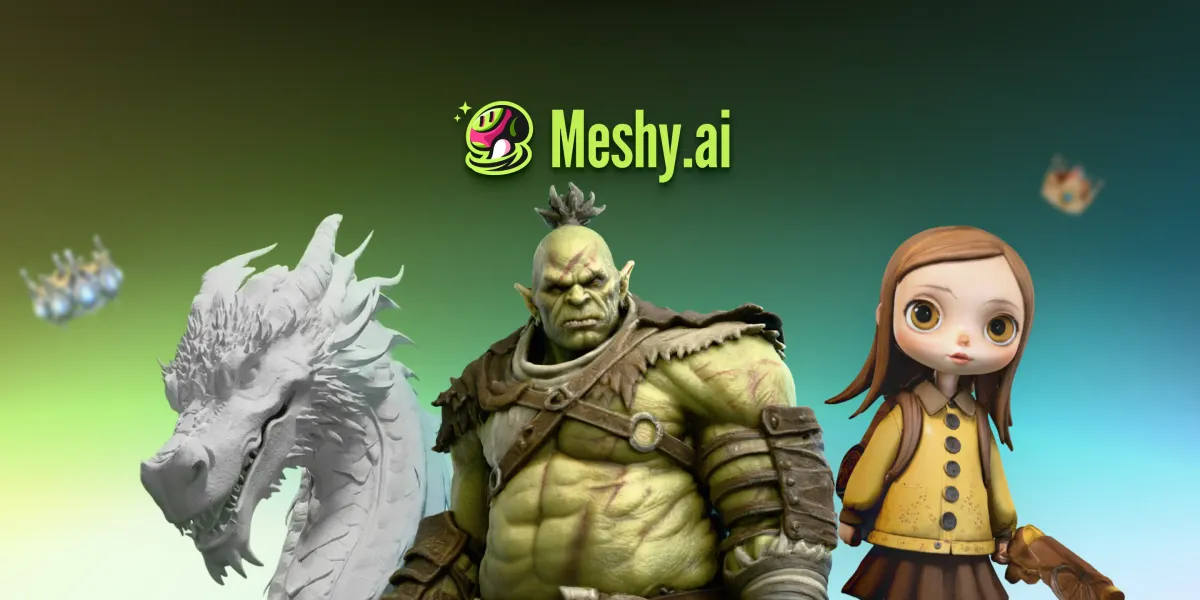
Meshy logo beside official 3D model examples: an untextured dragon, a green orc, and a doll-like character. These samples show output, not the app interface. Official examples only support output, not an interface screenshot. Source: https://www.meshy.ai/. Source ↗
Pricing model
Freemium
Main input
Text prompts or images (photo, sketch, concept art)
Output
Textured 3D models (FBX, OBJ, GLB, STL, 3MF, and related formats)
Access
Web app; API and plugins described for pipelines
Is Meshy right for you?
Choose Meshy when you need a browser path from a prompt or reference image to a textured mesh, with optional PBR maps, humanoid or quadruped auto-rigging, and exports such as STL, OBJ, 3MF, FBX, and GLB. The site stresses meshes that are watertight, manifold, and ready to slice, plus printability repair and Auto Split—helpful for makers, yet you still run slicer and physical checks yourself. Freemium credits make a first pass cheap; Free outputs use CC BY 4.0 with attribution, while premium plans claim private ownership. Skip Meshy if you need hand-authored topology from day one or a photoreal-avatar specialist; confirm live card prices on meshy.ai. The pricing page text used here does not include dollar figures.
A good fit for
Game and media teams that need fast props, characters, and low-poly-friendly meshes from text or images
Makers who want print-oriented geometry with STL, OBJ, or 3MF export toward common slicers
Designers iterating concept art into 3D previews without starting from a blank DCC scene
Know the trade-offs
Free-plan assets use CC BY 4.0 with attribution; premium plans claim private ownership. Free generations are not the same rights package as premium plans
Watertight and manifold claims are generation helpers; they do not replace slicer validation or physical print checks
Free credits reset monthly; Pro lists 1,000 credits per month with API access—confirm live card pricing on the official site
Free queue priority is lower than paid plans, so batches can lag
What Meshy generates and prepares
Meshy logo beside official 3D model examples: an untextured dragon, a green orc, and a doll-like character. These samples show output, not the app interface. Official examples only support output, not an interface screenshot. Source: https://www.meshy.ai/. Source
Text-to-3D and image-to-3D generation
Meshy presents itself as a free AI 3D model generator: describe an object in plain language or upload a photo, sketch, or piece of concept art, and the product returns a mesh you can refine, texture, or send toward a game or printing workflow. Homepage copy places the turnaround in under a minute and positions the result as ready-to-use rather than a raw point cloud you must rebuild from scratch.
Image-to-3D is framed as high-fidelity alignment to the reference, while text-to-3D covers cases with no reference image. Treat the first mesh as a draft for art direction: regenerate or edit when silhouette or topology miss the brief instead of assuming one pass closes production.
Meshy states that its 3D models are generated with printing in mind—watertight, manifold, and ready to slice. A built-in printability check scans exports and auto-repairs edge cases before you slice, and Auto Split can break a model that is too complex into watertight parts arranged on the build plate. Export paths listed include STL, OBJ, or 3MF with handoff toward OrcaSlicer, Bambu Studio, and other slicers for single- or multi-color work.
Those claims describe preparation helpers, not a finished physical object. You still choose filament or resin settings, supports, and scale in your slicer, and should verify the send-to-slicer path for your machine before a deadline batch.
One-click PBR texturing is described as generating a full set—albedo, normal, metallic, and roughness—without shader setup, with an HD Texture option for sharper detail. Auto-rigging works on both humanoid and quadruped characters, and the site advertises 600+ motion presets spanning walk cycles, idles, jumps, and attacks for quick animation tests.
Low Poly Mode is positioned for real-time projects: clean topology with a poly count you control so assets stay light enough for engines. Export lists include FBX, GLB, OBJ, and USDZ for game and AR paths. Use these stages for a textured, movable draft; move into Blender, Unity, or Unreal when you need custom loops, weights, or materials beyond the presets.
Prototype game props and characters for a playable slice
Indie and content teams can suggest blocking a level with Meshy-generated props, then swap in hand-authored hero assets later. Text-to-3D covers filler crates and flora; image-to-3D helps when concept art already exists. Low Poly Mode and engine exports support dropping drafts into Unity, Unreal, or Godot for movement tests.
Keep ownership rules in view: Free-plan outputs carry CC BY 4.0 attribution duties, while Pro lists private asset ownership and API access for heavier pipelines.
Prepare maker files for miniatures, terrain, and gifts
Hobby and tabletop workflows start from a prompt or photo and aim at slicer-ready geometry. Meshy highlights watertight, manifold meshes, printability repair, Auto Split for oversized pieces, and STL, OBJ, or 3MF export toward common slicers when speed matters more than perfect hand topology.
Still run your own plate layout, supports, and material tests. The product can suggest a partner print-and-ship path when you lack a printer, but local FDM or resin quality remains your responsibility after export.
Move product and interior concepts from sketch to 3D preview
Product and spatial designers can suggest converting sketches or reference photos into 3D previews for stakeholder reviews before CAD lock. Image-to-3D and PBR texturing shorten the gap between a flat concept and a turntable-ready model for e-commerce or interior mood boards.
Rebuild precise dimensions in dedicated CAD when manufacturing tolerances matter. Meshy fits early visualization, not engineering drawings.
How to get started with Meshy
1
Open the web workspace and pick text or image input
Sign up on meshy.ai, choose Text to 3D or Image to 3D, and enter a prompt or upload a photo, sketch, or concept art.
2
Generate, then texture or rig as needed
Create the base mesh, optionally apply PBR texturing, and use auto-rigging with motion presets for characters. Enable Low Poly Mode for real-time targets.
3
Run printability helpers if the file will hit a slicer
Use the printability check, repair helpers, and Auto Split when a shape is too complex for one plate. Export STL, OBJ, or 3MF into your slicer.
4
Export for engines or DCC tools and confirm license tier
Download FBX, GLB, OBJ, USDZ, or other listed formats. Confirm Free CC BY 4.0 attribution versus premium private ownership before commercial shipping.
Meshy Official Pricing: Free, Pro, Studio & Enterprise Plans. The public pricing page lists credit allowances but not dollar card prices. Confirm live figures on meshy.ai/pricing. Free grants 100 credits every month; Pro lists 1,000 credits per month with faster generation, API access, private asset ownership, and 10 concurrent tasks. Paid plans add larger monthly credit allowances and commercial-use rights. Monthly credits are part of your subscription plan.
Free
Trials, hobby experiments, and attributed CC BY 4.0 outputs
100 credits/month
Monthly credit reset; no credit card required to start
100 credits every month with automatic monthly reset
No credit card required to start
CC BY 4.0 license for Free-plan outputs with attribution
Lower queue priority than paid plans
Pro
Individual creators who need more credits, speed, and private ownership
1,000 credits/month
Subscription; plan credits reset monthly and do not accumulate
1,000 credits per month
60% faster generation (as stated on pricing FAQ copy)
API access, private asset ownership, and 10 concurrent tasks
Studio
Growing teams that need higher team-oriented allowances
See official pricing cards
Listed for growing teams; confirm on pricing page
Listed among Free, Pro, Studio & Enterprise Plans
Positioned for growing teams in Meshy plan messaging
Confirm credit and seat details on meshy.ai; they are not in the pricing page text used here
Enterprise
Organizations that need enterprise workflow terms
Contact Sales
Custom enterprise workflows
Listed among Free, Pro, Studio & Enterprise Plans
Contact Sales path appears in site navigation
Confirm contract specifics on meshy.ai; they are not in the pricing page text used here
The pricing page text used here does not include dollar amounts. Confirm current card prices, Studio and Enterprise inclusions, and billing FAQ rules on meshy.ai before purchasing.
Your pipeline already standardizes on Alpha3D instead of Meshy’s web workspace.
Alpha3D is another AI 3D generation option in this set. Prefer it when procurement locks that vendor, or when Meshy’s printability helpers and motion presets matter less than Alpha3D’s packaging and commercial terms.
You want a side-by-side text-or-image-to-3D comparison before buying credits.
Hyper3D is an alternate generative 3D tool. Compare mesh style, topology habits, and plan structure when Meshy’s Free credit reset and CC BY terms are not the default you want.
You need Kaedim’s image-to-3D review and delivery model for production art teams.
Kaedim emphasizes turning 2D into production-minded 3D with a service-oriented workflow. It can fit better when you want that review culture instead of Meshy’s self-serve freemium web app and printability helpers.
Meshy: common questions
Is Meshy free to use?
Yes. Free includes 100 credits every month with no credit card required. Outputs use CC BY 4.0 with attribution and lower queue priority. Paid plans add larger monthly credit allowances and different ownership terms.
Meshy says models are watertight, manifold, and ready to slice, with printability repair, Auto Split, and export toward slicers such as OrcaSlicer and Bambu Studio. You still validate in your slicer.
Free-plan users receive a CC BY 4.0 license and may sell models while crediting Meshy. Premium subscribers are described as owning assets they create, provided inputs do not violate others’ copyrights.
Yes. Pricing FAQ copy says Meshy provides API services and points to the docs. Pro messaging lists API access among paid benefits—confirm endpoints and billing in the developer docs.
NavHunt did not run Meshy. Credit counts, license notes, and plan names come from the public homepage, pricing, features, and docs pages reviewed on 6 October 2026. Dollar prices were not on those pages. Check the live pricing cards before you buy. Generation quality, slicer results, and API behavior stay unverified until you try the product.