
ChatGPT logo

ChatGPT

ChatGPT is OpenAI’s assistant for writing, questions, web research and working with files. You can start with a prompt, attach a document or image, and refine the answer through follow-up messages. Search adds web sources; data analysis turns uploaded tables into calculations and charts. Available tools and usage limits depend on your plan and account.

Official website · chatgpt.com

Official product image. A ChatGPT conversation on chatgpt.com. The interface can change. Source ↗

Pricing model
Freemium
Main input
Prompt, file, image, or voice
Typical output
Answer, draft, file, or research
Access
Limits vary by plan

Is ChatGPT right for you?

ChatGPT is useful when a task involves several kinds of work: reading a report, discussing its findings and drafting an email about them, for example. You can do those steps in one conversation. It takes more supervision when exact quotations, financial figures or current facts matter: a fluent answer can still contain an invented detail. Use the original document or cited page as the authority, and choose a specialist editor when precise formatting is the main job.

A good fit for

  • Explaining, rewriting, or brainstorming when you will review the wording.
  • A first look at a non-sensitive file, table, or image.
  • Trying search or a longer research task before you pay.

Know the trade-offs

  • Answers can be wrong, and a citation may not support the sentence.
  • Models, tool access, and message limits change by account.
  • A personal account and a managed workspace do not share the same training default.

What you can do with ChatGPT

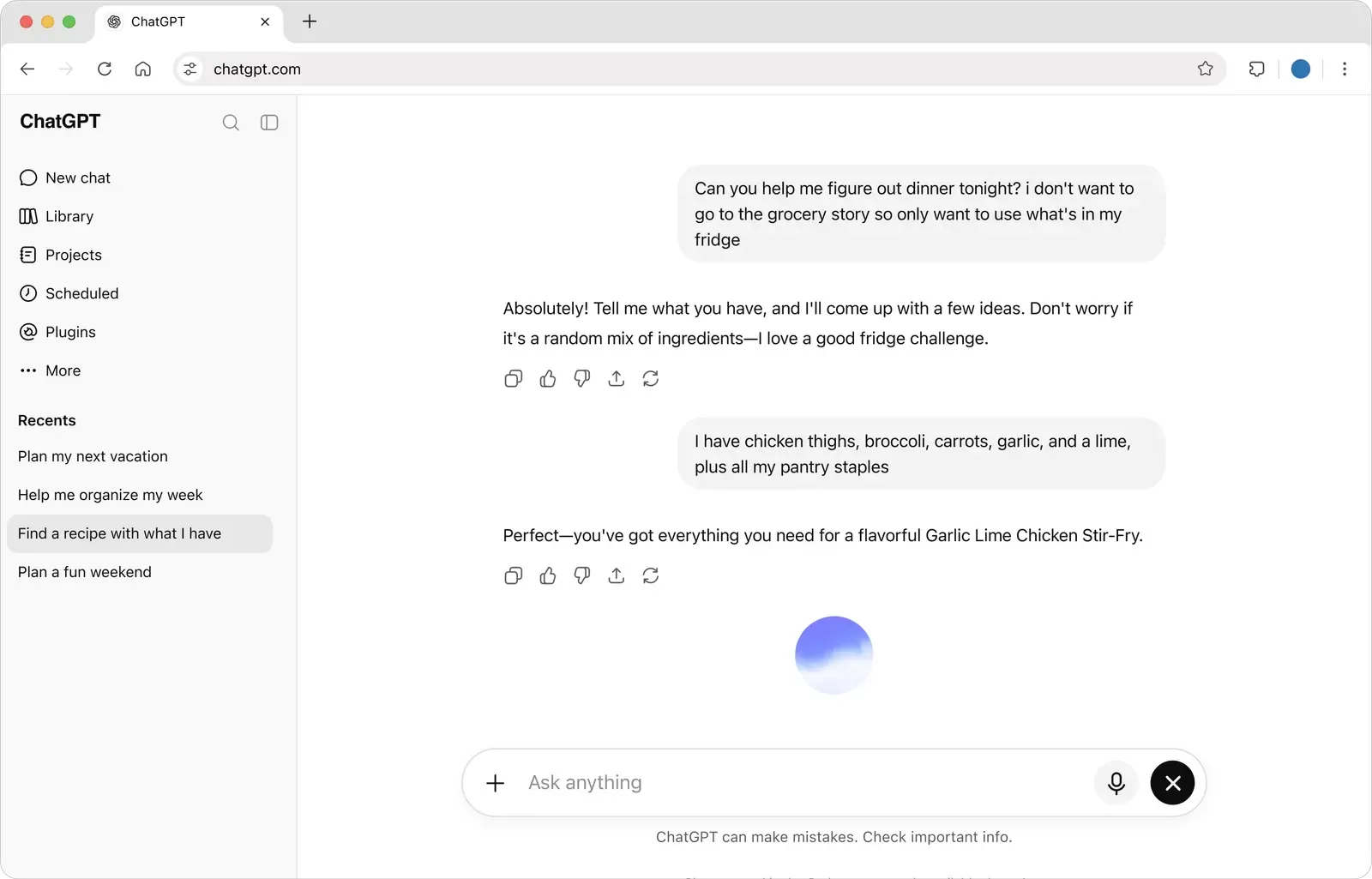
ChatGPT conversation about planning a meal from ingredients already on hand, with New chat, Library, and Projects in the sidebar
Official product image. A ChatGPT conversation on chatgpt.com. The interface can change. Source

Ask, draft and search from one conversation

A conversation can move from explanation to editing without starting over. Paste a rough email, explain who will receive it and ask for a shorter version. If the first draft is too formal, give that feedback in the next message. Naming the audience and supplying the facts usually gives the model more to work with than asking it to ‘make this better.’

Web search serves a different purpose: finding information beyond the material in the chat. It is useful for a recent announcement, a product page or a comparison that needs current sources. Answers can include links to the pages used. For a question that requires comparing several sources in depth, deep research can produce a longer, cited report, subject to its own allowance.

Search does not make every sentence reliable. Follow the cited link when you need an exact price, date or quotation; the page may support only part of the generated summary.

Official documentation
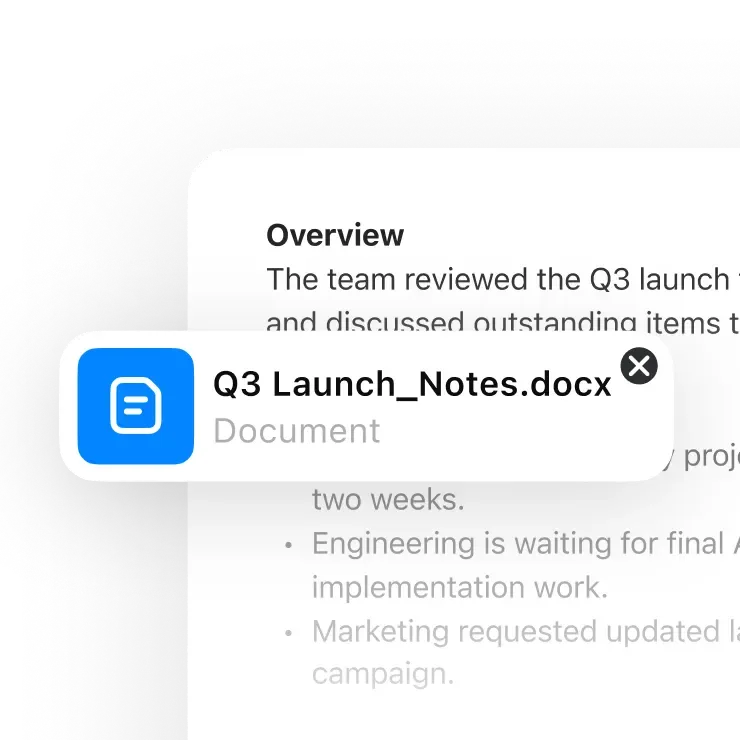
A document named Q3 Launch Notes attached over a written overview in the ChatGPT interface
Official product image. A document attached beside written notes in ChatGPT. The interface can change. Source

Work with files, images and data

Attach the document you want to discuss instead of describing it from memory. You can ask for a summary of a report, the differences between supplied documents or an explanation of an image. A narrow question—‘Which deadlines appear in this agreement?’—is easier to assess than a request to review everything.

With data analysis, an uploaded table can become a grouped summary, calculation or chart. Tell ChatGPT which columns matter and how to handle missing rows, refunds or duplicate entries. These choices can change the result more than the chart style does. Ask for the calculation method alongside the result so you can reproduce it.

Image generation creates new visuals from instructions, while image analysis discusses an image you supplied. Those are separate tasks: a generated illustration cannot establish what happened in a real event. Upload and tool limits vary by plan, and sensitive files belong only in an account your organization has approved for them.

Official documentation
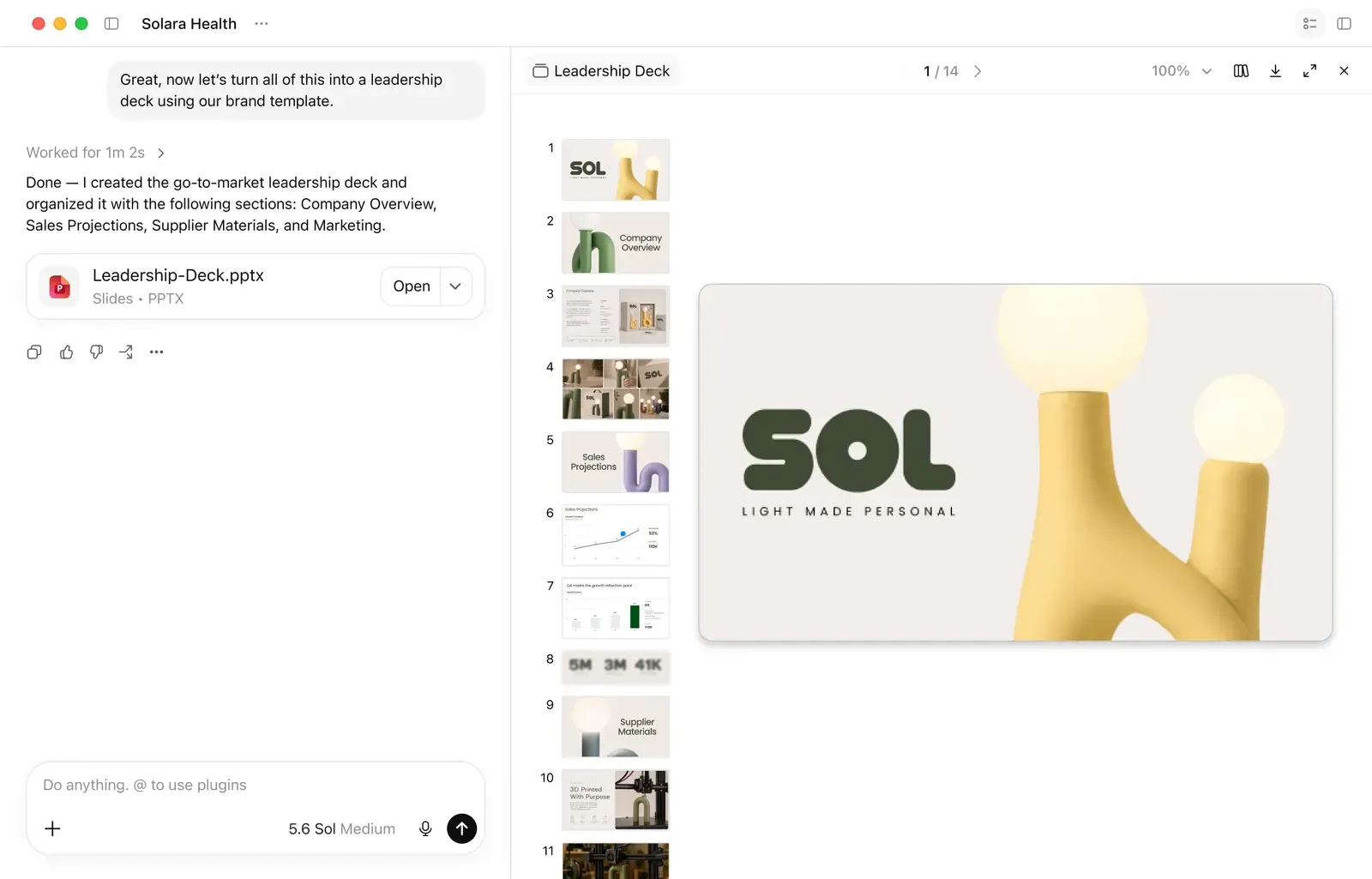
ChatGPT Work showing a request to build a leadership deck and a slide file open beside the conversation
Official product image. ChatGPT Work turning a request into a slide deck. The interface can change. Source

Keep longer projects organized

A single chat is enough for a quick answer. For ongoing work, Projects group related conversations and files so the material is easier to find. Canvas places a draft beside the conversation for editing; Voice lets you speak instead of type; Memory can carry saved preferences into later conversations. Availability and limits depend on the account.

ChatGPT Work is intended for deliverables such as briefs, slide decks, spreadsheets and recurring updates. This makes a useful distinction when setting your request: do you want an answer to read in the chat, or a file another person will open? Specify the file format, audience and sections when you need the latter. Codex handles coding work.

These options do not have to be part of every task. For a one-off email, the ordinary chat is enough. For a monthly report, keeping the source files and instructions together can save you from rebuilding the context each time.

Official documentation

Ways to use ChatGPT

Research brief

Suppose you are comparing three scheduling apps for a small team. Give ChatGPT the shortlist and the requirements: calendar integrations, guest booking, team administration and monthly cost. Ask for a table with a source link for each feature and a separate column for details it could not confirm.

Use search for a short comparison or deep research for a broader report. Then narrow the answer with a follow-up such as ‘Which options support our existing calendar without an extra integration?’ The useful result is a shortlist tied to your requirements, not a universal winner. This is a suggested task, not a benchmark performed by NavHunt.

File or data review

For a monthly sales export, ask for revenue by product, the largest changes from the previous month and the rows excluded from the calculation. Define whether revenue includes tax and refunds. Without that definition, two plausible calculations can answer different questions.

Ask for the grouped table as well as a chart, then reconcile the grand total with your original spreadsheet. If the numbers disagree, you have a specific point to investigate: filters, missing values or duplicate rows. Remove identifying customer fields unless your workspace and company policy permit the upload; names and email addresses are rarely needed for this analysis.

Turn notes into a client email

Paste the confirmed project notes and name the purpose of the message. For example: ‘Write a 150-word update to the client. Explain the two-day delay, keep the agreed delivery date unchanged and ask them to approve the attached design by Thursday. Do not add promises.’

That brief gives the draft a reader, a length and a concrete action. If it sounds stiff, ask for simpler sentences or replace a specific paragraph. Keep the wording that sounds like you and remove invented explanations. The benefit is getting an editable first draft without spending the opening minutes deciding how to structure the message.

How to get started with ChatGPT

  1. 1

    Start a conversation

    Open ChatGPT and describe the task. Attach the relevant document or paste the notes if the answer should be based on your material.

  2. 2

    Set context and format

    Say who it is for, what ChatGPT may use, and what to hand back.

  3. 3

    Refine the answer

    Point to the part that needs changing: shorten the introduction, explain the calculation or compare another option. You can continue in the same conversation.

  4. 4

    Use the result

    Copy the draft or download the generated file. Confirm names, figures and quotations against the original material before sending it to someone else.

ChatGPT plans and pricing

Check live pricing

Reviewed on 6 October 2026. The Plus help article lists $20 per month, billed monthly. The public pricing page did not expose a verifiable Pro amount in our review, so no Pro price is quoted here. Local currency and taxes can affect checkout totals.

Free

Try core chat and limited tools

$0

No subscription

  • Questions, explanations, and short drafts
  • Limited uploads, images, voice, and research
  • Separate allowances for individual tools

Plus

Higher individual usage and tools

$20

/ month · billed monthly

  • More room than Free for regular work
  • Broader model and tool access where offered
  • Does not include API usage

Pro

A higher personal access level

Check live price

Personal plan · confirm live

  • For heavier individual use than Plus
  • Benefits and limits depend on the account
  • Higher allowances for demanding workflows

Free is a useful starting point for occasional questions and drafts. Plus becomes relevant when upload, research or message allowances interrupt regular work, or when you need a feature included in that plan. Paying does not remove every tool limit. The pricing page also lists Go, Business and Enterprise. Go offers more access than Free and may include ads. For an organization, compare Business and Enterprise on administration, data handling and deployment requirements. API usage is billed separately from a ChatGPT subscription; a Plus account does not fund an app built with the API.

Alternatives to ChatGPT

Claude

The job is a long document or a file you will keep editing.

Stay with ChatGPT when search, images, and plan-based research should stay in the same account.

Perplexity

Sourced web research is the whole workflow, not one tool.

ChatGPT can search and attach links, but drafts, files, and images share the same conversation.

Google Gemini

A Google account and Google app connections decide the fit.

ChatGPT uses its own account and workspace rules. Compare where the files already live, not which answer sounds more sure.

ChatGPT: common questions

What is ChatGPT used for?

People use ChatGPT to ask questions, rewrite text, brainstorm, search the web, and analyze a file or image. Some plans also return a document or a cited report. You still check anything that has to be true.

Source
Is ChatGPT free?

Yes. OpenAI’s FAQ says people in supported regions can try ChatGPT without signing in. Uploads, images, voice, and research have separate limits that can change. A signed-out visit lacks the history and data controls of an account.

Source
How much is ChatGPT Plus?

OpenAI lists ChatGPT Plus at $20 per month, billed monthly. It buys broader model and tool access than Free, with higher limits when capacity allows. Tax may be extra. This price is not the API price.

Source
Does ChatGPT search the web and cite sources?

Yes. ChatGPT can search when a question needs current information, and you can start a search yourself. OpenAI says the citations can be incomplete or wrong, so open the page before you reuse the sentence.

Source
Can ChatGPT analyze files and data?

Yes, where upload or data analysis is available. ChatGPT can summarize a document, inspect a table, make a chart, and read or create images. Allowances differ by plan and can drop when the service is busy. Recheck one total against the file.

Source
Does OpenAI use ChatGPT conversations for training?

On a personal account, turn off ‘Improve the model for everyone’ in Settings → Data Controls to keep new conversations out of training. They can still remain in your history.

Temporary Chat stays out of history, does not create or update memories, and is not used for training while temporary. OpenAI may retain a copy for up to 30 days for safety. A personalized Temporary Chat may use memories already saved; saving the chat converts it into a normal conversation.

Business, Enterprise, Edu and Healthcare workspace content is not used for training by default. Managed workspaces have separate administration, retention and access policies, so a personal-account setting alone does not establish what your organization permits you to upload.

Source
Is ChatGPT Plus the same as API access?

No. OpenAI bills API usage separately from ChatGPT Plus. Plus pays for the ChatGPT app and that plan’s limits. An app you build on the API has its own account, prices, and data terms.

Source
Can I trust ChatGPT’s answers?

Not alone. OpenAI says ChatGPT can give incorrect or misleading output, including invented quotes and citations, and can sound confident when it is wrong. Search and deep research add links you still have to open. Check the original source for any number, quotation, or legal, medical, or financial decision.

Source

Sources & last checked

Oct 6, 2026 · NavHunt editorial

Based on OpenAI’s documentation and product pages. Capabilities, pricing and data controls were rechecked on 6 October 2026. Images are official product images from the ChatGPT overview. NavHunt has not benchmarked accuracy, speed or a paid account; the task examples illustrate suggested ways to use the documented features.

Try ChatGPT

Ask a question, attach a file or start with a draft you want to improve.

Explore ChatGPT